

Best Laptop For Gaming in India (2026): Expert Reviews, FPS Benchmarks & Ultimate Buying Guide

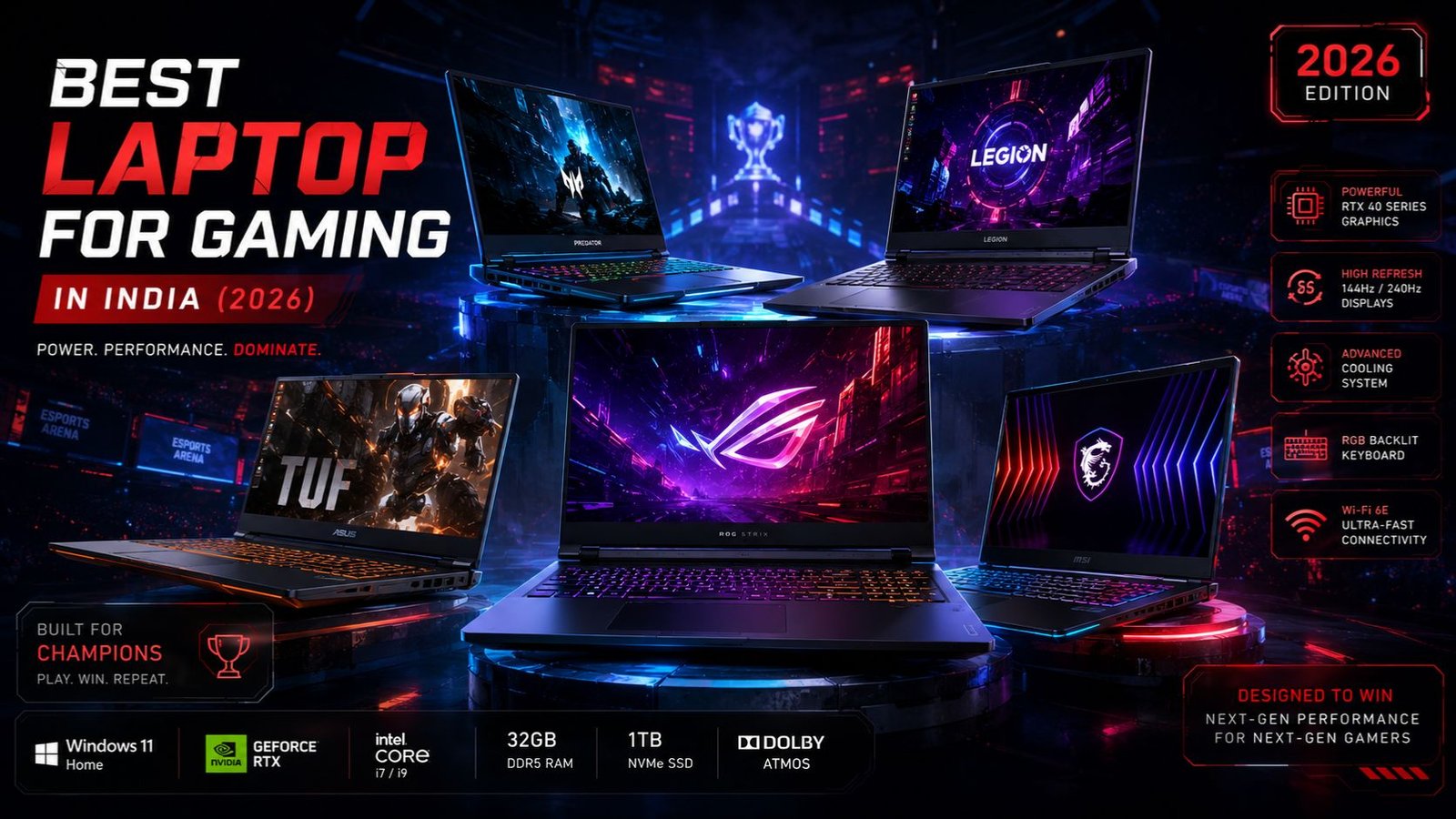
If you are trying to find the best laptop for gaming in 2026, you have likely realized that the Indian laptop market has become incredibly complicated. You are bombarded with confusing acronyms—TGP, MUX switches, DLSS, Frame Generation, and thermal throttling. To make matters even more complex, market dynamics have shifted drastically this year. While standard thin-and-light laptops meant for office work and college have seen noticeable price increases, gaming laptops have experienced quiet but significant price drops, especially for machines equipped with RTX 3050 and RTX 4050 graphics cards.
This means that a high FPS gaming laptop is now accessible to a much wider audience. Whether you are an engineering student needing computational power, a content creator looking to render 4K video, or a hardcore gamer wanting to play Cyberpunk 2077 at maximum settings, there is a perfect machine out there for you.
However, choosing the right one requires looking past the marketing hype. A laptop with an "RTX 4050" on the sticker might perform 20% worse than another laptop with the exact same sticker simply because of its cooling system and power limits. As a consumer tech analyst and gaming laptop reviewer, I have compiled this exhaustive, data-backed guide to help you cut through the noise.
This guide will break down the absolute best gaming laptops available in India across various budgets—from the best gaming laptop under 50000 to premium desktop replacements. We will dive deep into real-world gaming performance, thermal management, battery life, and overall value for money so you can make a confident, future-proof purchase.
Quick Comparison Table
To help you get started, here is a quick comparison of the top gaming laptops we will be reviewing in detail. This table breaks down the core specifications, ideal user profiles, and approximate pricing to help you narrow down your choices based on your specific budget.
| Laptop Name | GPU | Processor | RAM | |||
| MSI Thin A15 | RTX 3050 (4GB) | Ryzen 5 7535HS | 16GB DDR4 | |||
| Lenovo LOQ 15IAX9 | RTX 3050 (6GB) | Core i5-12450HX | 16GB DDR5 | |||
| Asus TUF Gaming A15 | RTX 4050 (6GB) | Ryzen 7 7435HS | 16GB DDR5 | |||
| Acer Nitro V 15 | RTX 4050 (6GB) | Core i5-13620H | 16GB DDR5 | |||
| HP Victus 15 (2026) | RTX 5060 (8GB) | Core i7 / Ryzen 7 | 16GB DDR5 | |||
| Acer Predator Helios Neo 16 | RTX 4060 (8GB) | Core i7-13650HX | 16GB DDR5 |
How We Selected These Gaming Laptops
Selecting a gaming performance laptop is fundamentally different from choosing a standard notebook. While everyday laptops handle intermittent tasks like web browsing or video playback, gaming laptops must sustain near-maximum CPU and GPU usage for hours on end. This extreme workload places heavy demands on the internal architecture. Here is the strict criteria we used to select the laptops on this list:
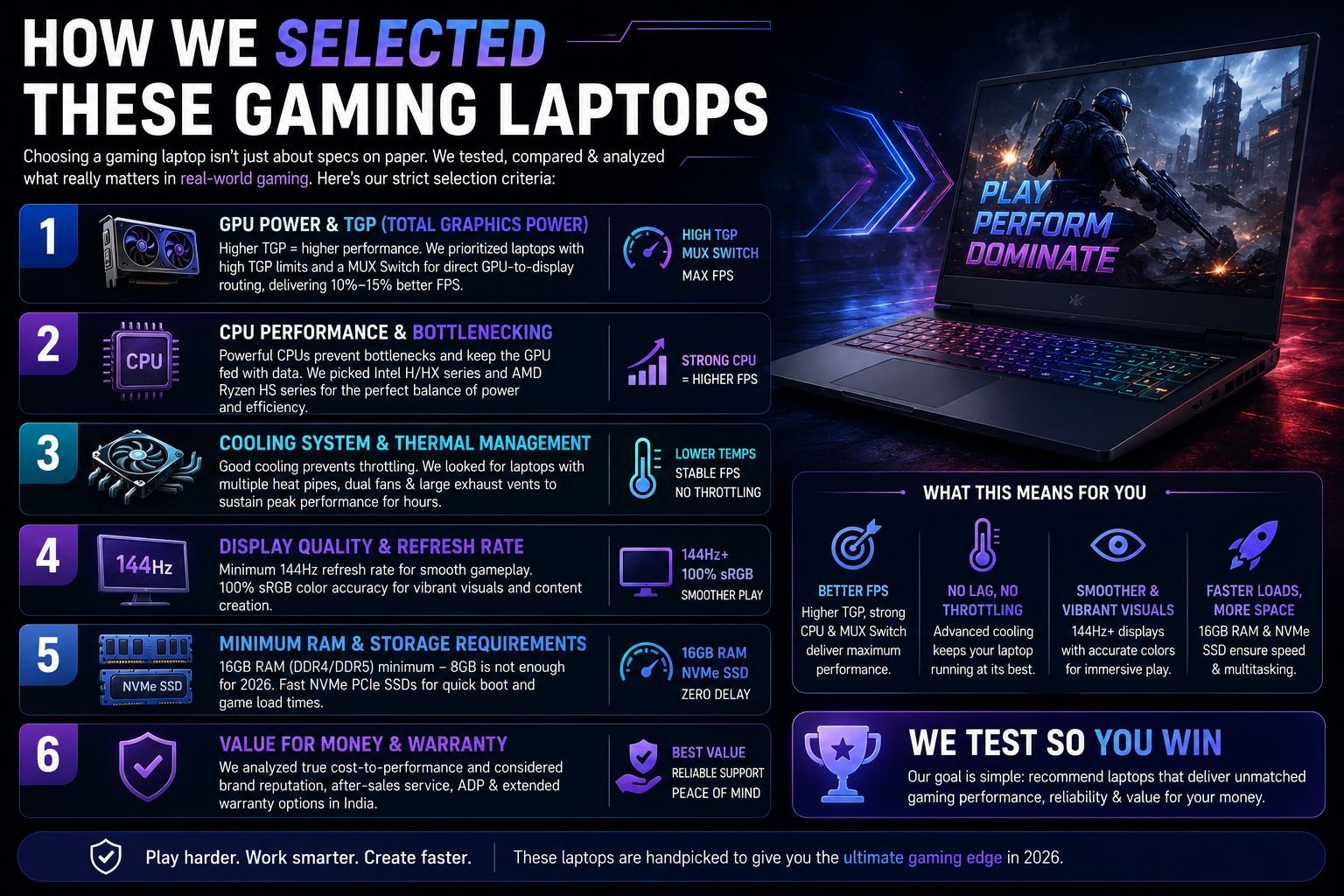
1. GPU Power and TGP (Total Graphics Power) The graphics card is the most important component in a gaming laptop. However, looking at the model name (like RTX 3050) is not enough. You must look at the TGP, which is measured in watts. A manufacturer can put an RTX 3050 in a thin laptop and limit it to 40W to prevent it from melting, while another manufacturer puts the same chip in a thicker laptop and allows it to draw 95W. The 95W version will significantly outperform the 40W version. We prioritized laptops that offer high TGP limits and include a MUX switch—a vital component that routes the graphics directly to the display, boosting FPS by 10% to 15%.
2. CPU Performance and Bottlenecking The processor feeds data to the graphics card. If the CPU is too weak, the GPU has to wait for instructions, resulting in a "bottleneck" and lower frame rates. We looked for laptops featuring Intel's H or HX series processors (which are optimized for high performance) or AMD's Ryzen HS series processors, which provide a fantastic balance of multi-core performance and battery efficiency.
3. Cooling System and Thermal Management A high FPS gaming laptop is useless if it overheats. When a laptop reaches critical temperatures (usually around 95°C), it engages in "thermal throttling"—automatically slowing down the CPU and GPU to prevent damage. This results in massive lag spikes and stuttering in your game. We evaluated the physical cooling systems of these laptops, looking for multiple heat pipes, dual fans, and large exhaust vents that allow the machine to sustain high frame rates over long gaming sessions.
4. Display Quality and Refresh Rate Input latency, screen tearing, and motion blur ruin the gaming experience. A 60Hz display is obsolete for gaming. Every laptop on our list features a minimum 144Hz refresh rate, allowing you to actually see the high frame rates your GPU is generating. We also heavily factored in color accuracy; panels that cover 100% of the sRGB color space were given premium points because they allow the laptop to be used for professional video editing and content creation.
5. Minimum RAM and Storage Requirements In 2026, 8GB of RAM is simply unacceptable for gaming. Modern games, combined with Windows 11 and background apps like Discord, will immediately max out 8GB and cause the system to crash or stutter. We only selected laptops that offer 16GB of dual-channel DDR4 or DDR5 RAM out of the box, paired with fast NVMe PCIe Solid State Drives (SSDs) to ensure rapid game loading times.
6. Value for Money and Warranty Finally, we analyzed the actual cost-to-performance ratio. We also factored in the brand's after-sales service reputation in India, favoring brands that offer comprehensive Accidental Damage Protection (ADP) and accessible extended warranties.
Best Gaming Laptops Section
Below is our exhaustive breakdown of the best gaming laptops available in India in 2026. Whether you are looking for an affordable entry point into PC gaming or a portable powerhouse, these machines represent the best investments in their respective price brackets.
1. MSI Thin A15
If your budget is strictly capped at ₹50,000, the Indian market can be a minefield. You will find dozens of laptops trying to sell you outdated GTX 1650 cards or weak integrated graphics. The MSI Thin A15 completely disrupts this segment by offering dedicated NVIDIA RTX architecture and a high-refresh-rate display at a price point that makes it the undisputed best gaming laptop under 50000.
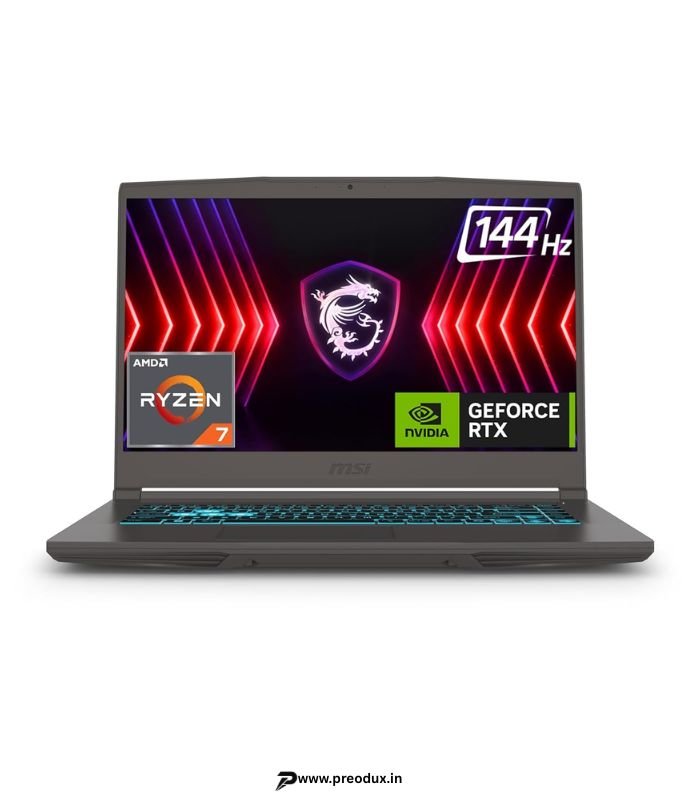
MSI Thin A15 Gaming Laptop, AMD Ryzen 7 7735HS, RTX 3050 4GB, 16GB RAM, 1TB SSD, 15.6″ 144Hz FHD
Original price was: ₹92,990.00.₹65,990.00Current price is: ₹65,990.00.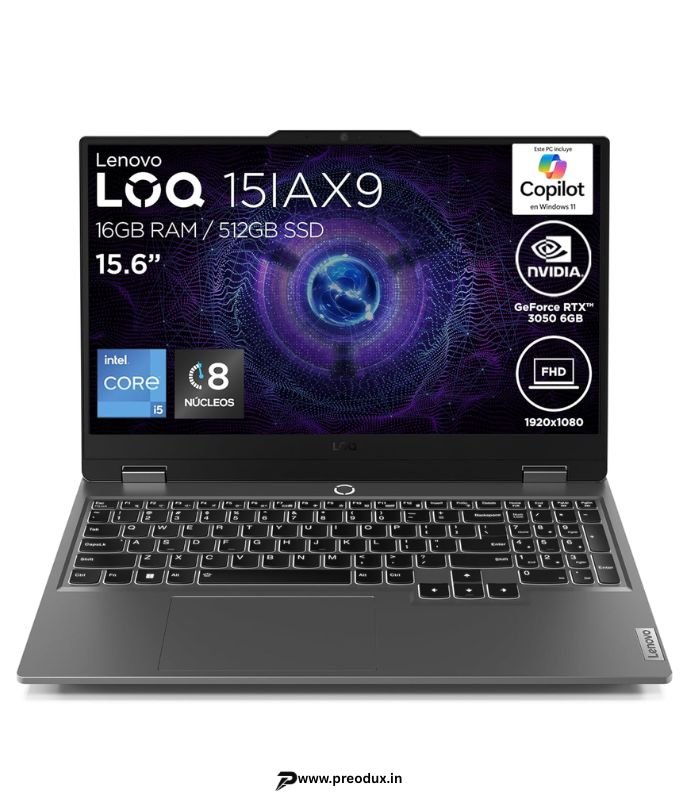
Lenovo LOQ 15IAX9 Gaming Laptop, Intel Core i5-12450HX, RTX 3050 6GB, 16GB RAM, 512GB SSD, 15.6″ FHD
Original price was: ₹95,999.00.₹83,999.00Current price is: ₹83,999.00.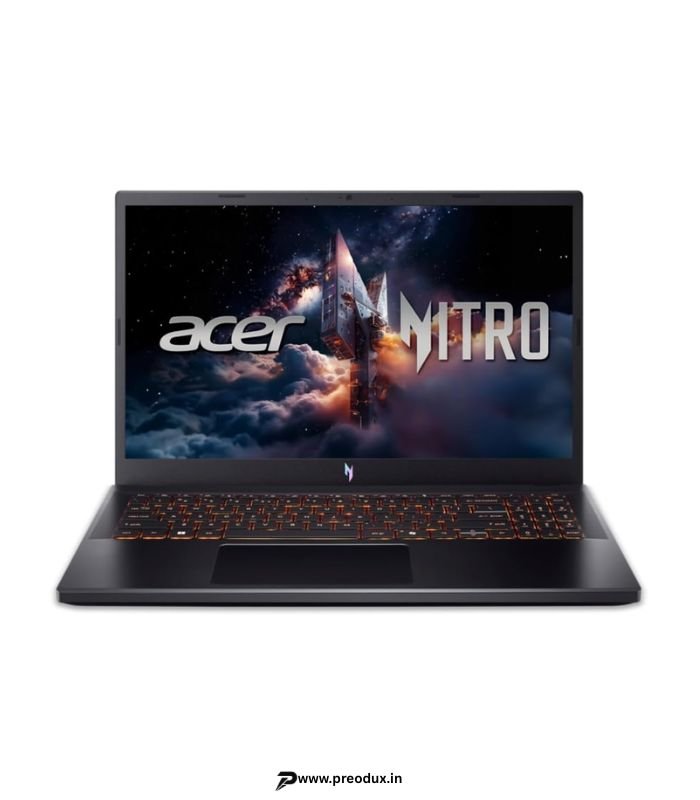
Acer Nitro V 15 Gaming Laptop, AMD Ryzen 7 7445HS, RTX 4050 6GB, 16GB DDR5, 512GB SSD, 15.6″ 165Hz IPS
Original price was: ₹108,299.00.₹78,990.00Current price is: ₹78,990.00.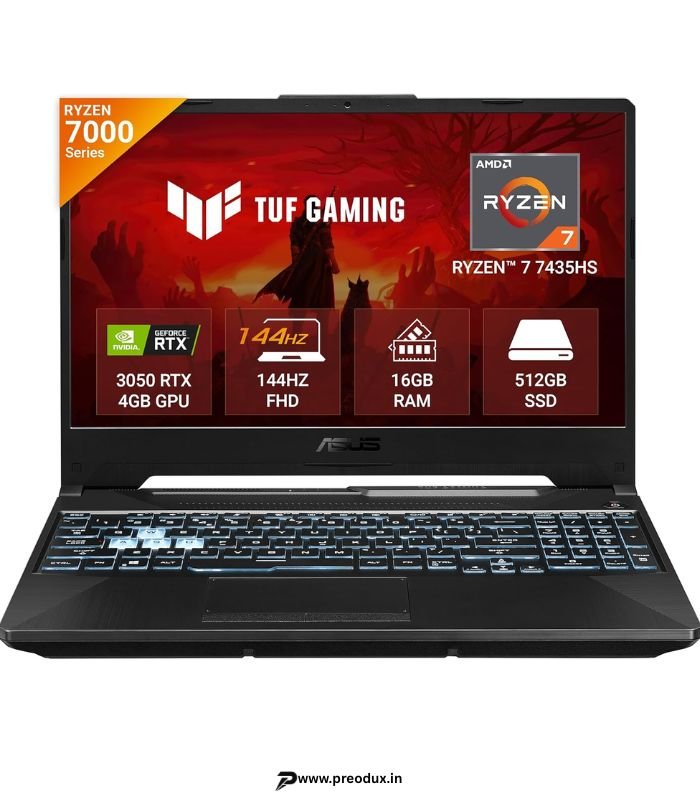
ASUS TUF Gaming A15, AMD Ryzen 7 7435HS, RTX 3050 4GB, 16GB RAM, 512GB SSD, 15.6″ 144Hz FHD
Original price was: ₹86,990.00.₹76,999.00Current price is: ₹76,999.00.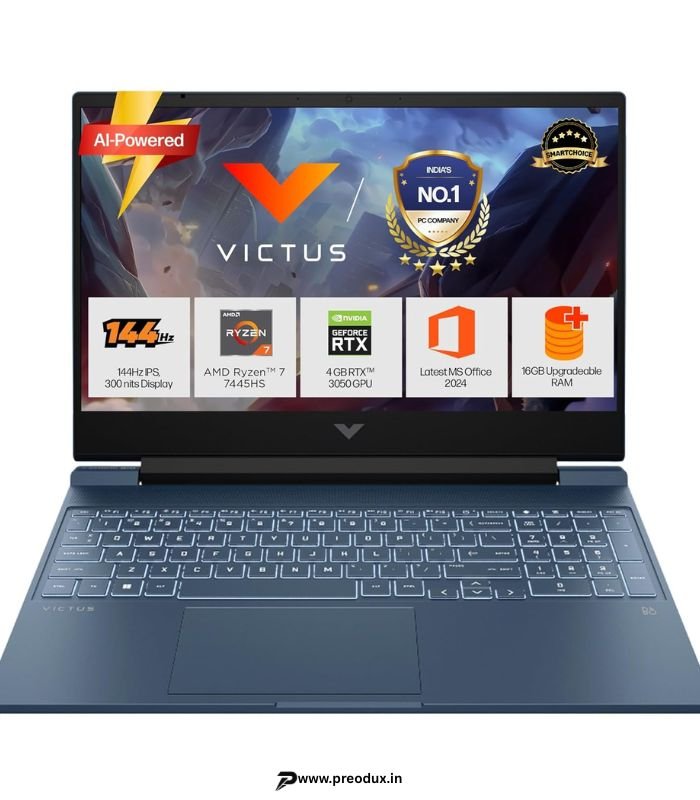
Pros:
Incredible 16-inch WUXGA (1600p) display with 165Hz refresh rate and G-SYNC.
Massive CPU performance from the Intel Core i7 HX-series processors.
High-TGP RTX 4060 delivers flawless 1440p/1600p gaming.
Premium build quality, extensive I/O ports, and excellent keyboard.
Advanced cooling system utilizing liquid metal.
Cons:
It is very heavy, bulky, and difficult to commute with daily.
Battery life is terrible; the 90Wh battery drains rapidly under the immense power draw of the components.
The fans on "Turbo" mode sound like a jet engine.
Key Specifications:
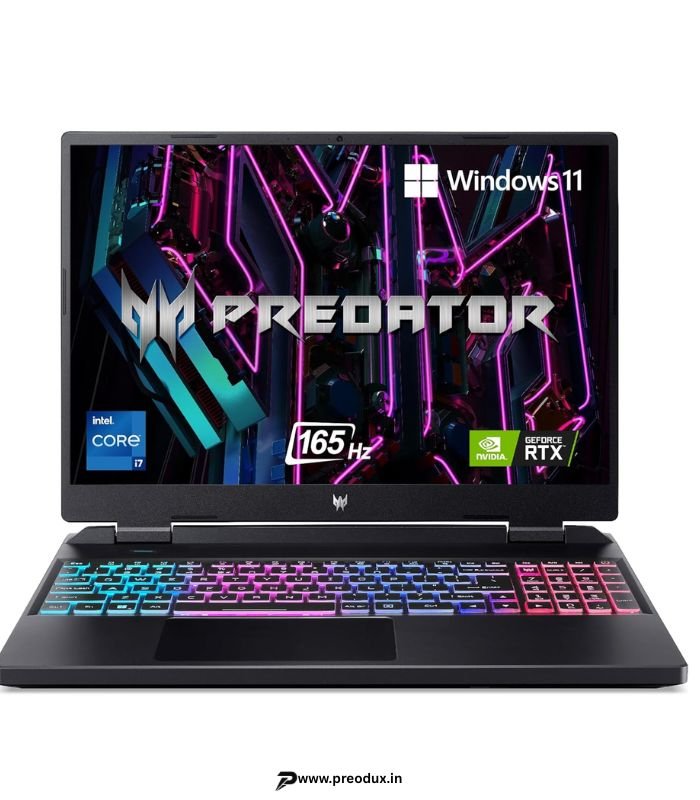
Processor: Intel Core i7-13650HX (14 Cores, 20 Threads)
Graphics Card (GPU): NVIDIA GeForce RTX 4060 (8GB GDDR6)
RAM: 16GB DDR5 4800MHz (Expandable)
Storage: 512GB or 1TB PCIe Gen 4 SSD
Display Size: 16-inch WUXGA (1920 x 1200) 16:10 Ratio
Refresh Rate: 165Hz with G-SYNC and 3ms response time
Battery: 90Wh
Weight: ~2.6 kg
Cooling System: Custom AeroBlade 3D fans with liquid metal thermal compound.
Real World Gaming Experience:
The Predator Helios Neo 16 is in a completely different weight class compared to the other laptops on this list. The combination of the 14-core Intel HX processor and the high-wattage RTX 4060 means it crushes any task you throw at it.
The highlight is the display. Moving from a standard 1080p screen to this 16-inch, 1600p (WUXGA) 16:10 display is breathtaking. The inclusion of G-SYNC physically synchronizes the display's refresh rate with the GPU, permanently eliminating screen tearing without the input lag associated with V-Sync.
In actual gaming benchmarks, the Helios Neo 16 is a monster. When playing Cyberpunk 2077 at the native 1600p resolution with High settings, Ray Tracing, and DLSS Frame Generation turned on, it averages a stunning 68 FPS. If you drop the resolution down to 1200p, that frame rate skyrockets to 90 FPS. In optimized titles like Gears 5, it pushes over 150 FPS on Ultra settings.
To achieve this, Acer uses liquid metal thermal paste and massive AeroBlade fans. The cooling package does an incredibly good job preventing thermal throttling, keeping CPU and GPU performance stable. However, to maintain those temperatures, the fans have to spin incredibly fast. On the "Turbo" preset, the fan noise is extremely loud. You will absolutely need a good pair of noise-canceling headphones.
Games Performance Examples:
Cyberpunk 2077: 68 FPS (1600p Native, High Settings + Ray Tracing + DLSS 3)
Cyberpunk 2077: 90 FPS (1200p, High Settings + Ray Tracing + DLSS 3)
Gears 5: 152 FPS (1080p, Ultra Settings)
Call of Duty: Warzone: 130+ FPS (High Settings)
Valorant: 350+ FPS (Competitive Settings)
Why We Recommend It: If you have the budget (around ₹1.4 Lakhs to ₹1.5 Lakhs), the Acer Predator Helios Neo 16 is an absolute no-brainer. It offers an uncompromised, desktop-level gaming experience with a screen that makes every game look like a cinematic masterpiece.
Gaming Laptop Comparison Section
To help you make a rapid decision based on your exact user profile, here is how these laptops stack up against each other:
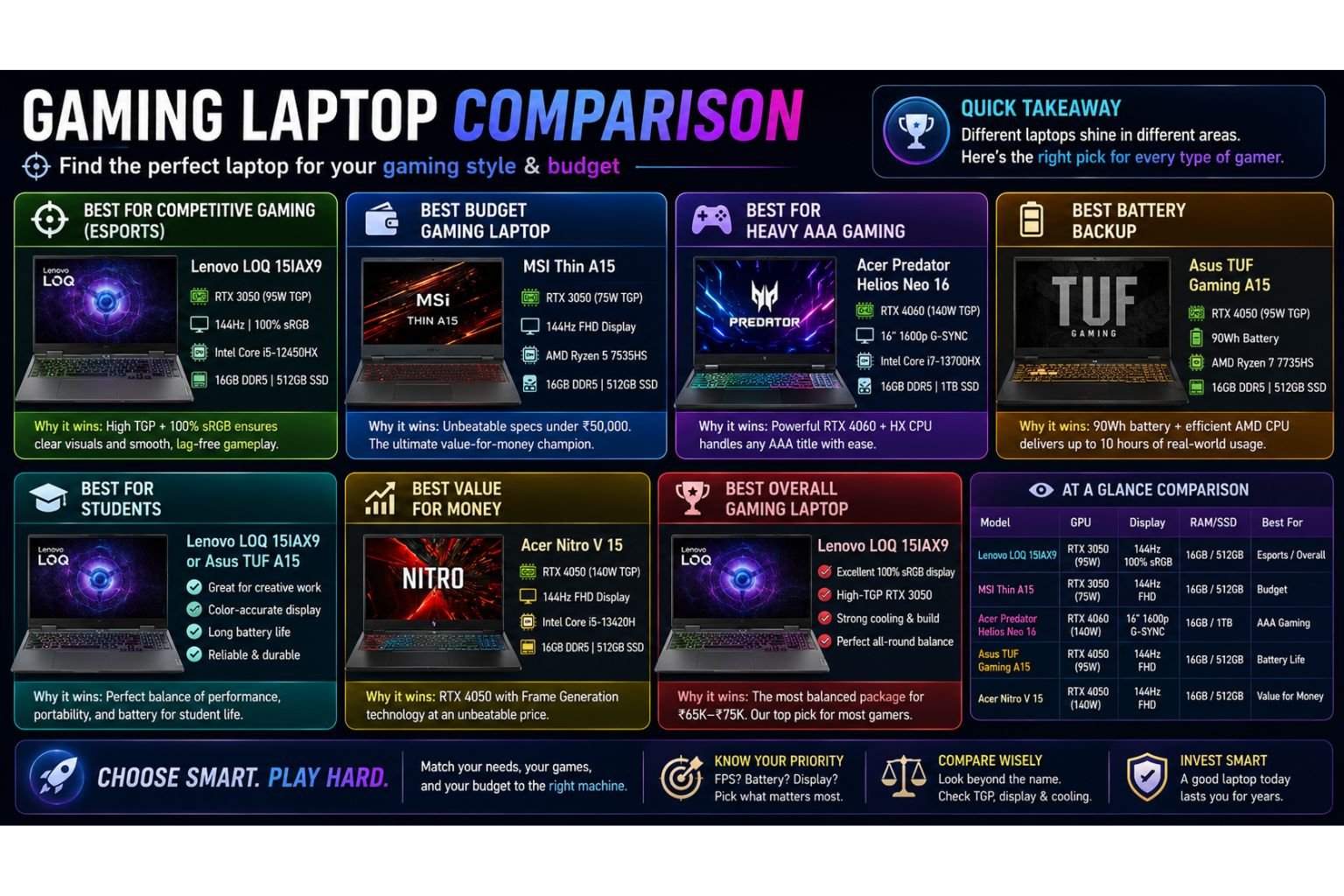
Best for Competitive Gaming (Esports): The Lenovo LOQ 15IAX9. The near 100% sRGB display combined with the high-TGP RTX 3050 ensures you see enemies clearly and never drop frames during crucial firefights.
Best Budget Gaming Laptop: The MSI Thin A15. At under ₹50,000, getting 16GB of RAM, a 144Hz screen, and a dedicated RTX GPU makes it the undisputed value champion of the entry-level segment.
Best for Heavy AAA Gaming: The Acer Predator Helios Neo 16. The RTX 4060 paired with Intel's HX processor and a 1600p G-SYNC screen will handle the heaviest, most unoptimized games with ease.
Best Battery Backup: The Asus TUF Gaming A15. The massive 90Wh battery and hyper-efficient AMD Ryzen processor allow this laptop to last nearly 10 hours for basic web browsing and video playback.
Best for Students: The Lenovo LOQ 15IAX9 (for its color-accurate screen useful in creative coursework) or the Asus TUF A15 (for its battery life that can survive a day of classes).
Best Value for Money: The Acer Nitro V 15. It secures NVIDIA's latest RTX 4050 Frame Generation technology for well under ₹80,000, representing a highly optimized financial investment for future-proofing.
Best Overall Gaming Laptop: The Lenovo LOQ 15IAX9. For the majority of buyers in India looking to spend between ₹65K and ₹75K, it offers the most refined, well-rounded balance of display fidelity, structural integrity, cooling, and raw performance.
Ultimate Gaming Laptop Buying Guide
Buying a gaming laptop is a significant financial investment. The market is filled with confusing marketing jargon designed to make inferior laptops look powerful. This guide will teach you exactly what to look for and, more importantly, what mistakes to avoid.
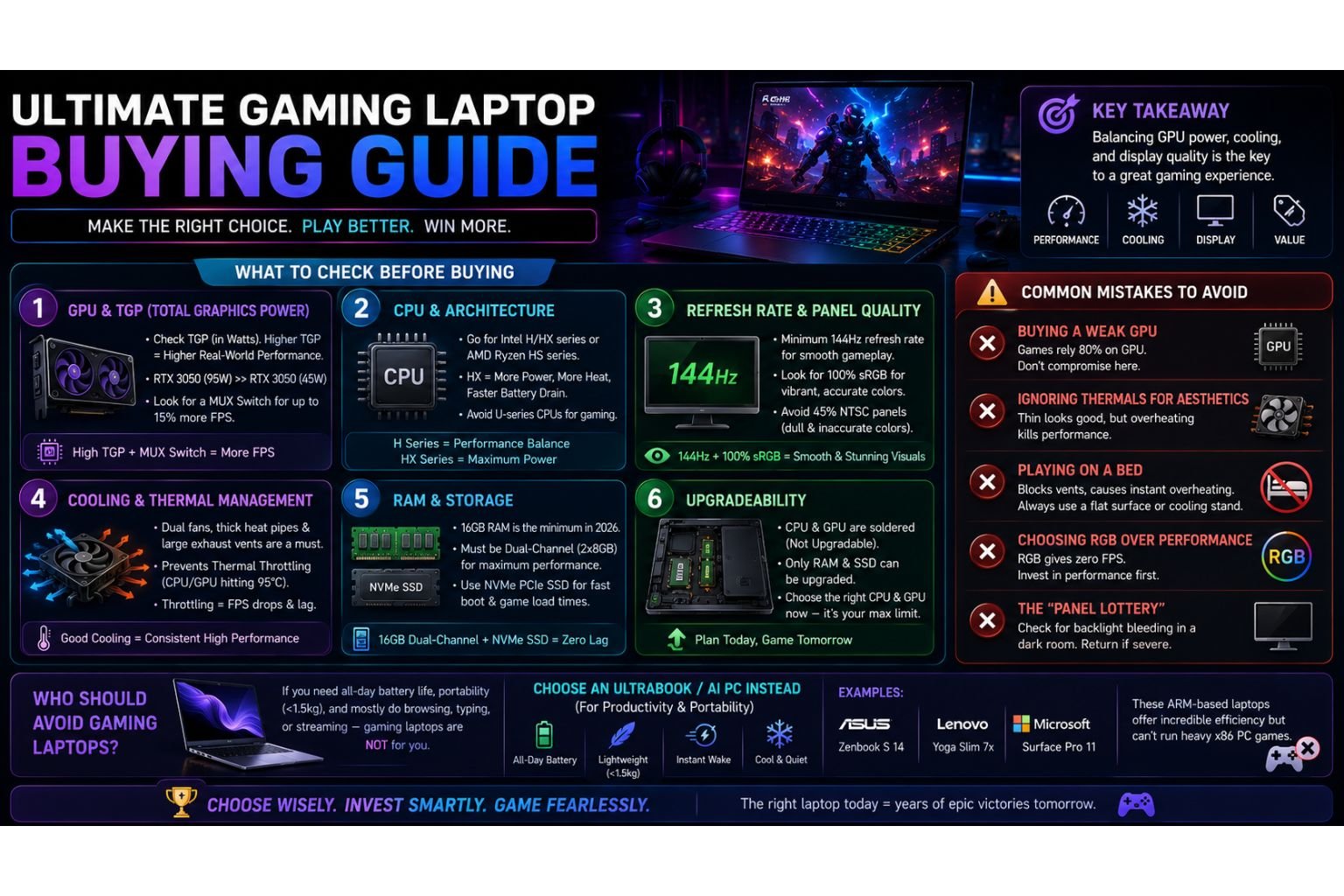
What to Check Before Buying
1. The Importance of GPU and TGP (Total Graphics Power) The graphics card (GPU) dictates absolute gaming performance. However, you must verify the TGP (measured in watts). An RTX 3050 can operate anywhere from 35W to 95W. A 95W variant will drastically outclass a 45W variant of the exact same name. Always search for reviews to find the TGP before buying. Furthermore, try to buy a laptop with a MUX switch. A MUX switch is a hardware component that allows the GPU to bypass the weak integrated graphics and connect directly to the display, which can improve your FPS by up to 15%.
2. CPU Importance and Architecture Processors use suffixes to denote their power. Intel's "U" series and AMD's "U" series processors prioritize battery life and are terrible for gaming. You want an "H" series processor (like the Core i5-13620H) for a standard performance balance, or an "HX" series processor (like the Core i5-12450HX) for desktop-class power. Be aware that HX processors generate massive amounts of heat and will drain your battery very quickly.
3. Refresh Rate and Panel Quality A 60Hz display caps your visible gameplay at 60 frames per second, meaning if your GPU generates 120 FPS, half of those frames are wasted. A minimum of 144Hz is required for modern gaming. Additionally, if you plan to edit photos or videos, you must check the sRGB coverage. Budget laptops often have 45% NTSC (roughly 62% sRGB), resulting in dull, washed-out colors. You want a panel that advertises "100% sRGB" for vibrant, accurate colors.
4. Cooling Systems and Thermal Throttling Thermal throttling is when a laptop's CPU or GPU gets too hot (usually hitting 95°C) and automatically reduces its clock speed to cool down. This tanks your performance mid-game. A common mistake is believing thermal throttling is a "defect." It is actually a built-in safety feature to prevent your laptop from catching fire. Look for laptops with dual fans, thick heat pipes, and large exhaust vents to ensure the components stay cool enough to avoid triggering the throttle limit.
5. RAM and SSD Storage Requirements 16GB of RAM is the absolute minimum requirement in 2026. However, the configuration matters: RAM must be installed in dual-channel mode (e.g., two 8GB sticks) rather than single-channel (one 16GB stick) to maximize performance. For storage, confirm the laptop uses an NVMe PCIe SSD. Avoid any extreme budget laptop utilizing eMMC storage or SATA drives, as these will cause excruciatingly long game load times and texture streaming stutter.
6. Upgradeability
Unlike desktop PCs, a laptop's CPU and GPU are permanently soldered to the motherboard. You cannot upgrade them later. Only the RAM and storage SSD can typically be upgraded. Therefore, the processor and graphics card you choose today represent the absolute maximum capability that laptop will ever have. Choose wisely.
Common Mistakes to Avoid
Buying a Weak GPU: Do not compromise on the GPU to get a slightly better CPU. Games rely 80% on the graphics card. An i5 processor with an RTX 4060 will always outperform an i9 processor with an RTX 3050 in gaming.
Ignoring Thermals for Aesthetics: Sleek, thin laptops look amazing, but if the cooling is inadequate, a high-end GPU will overheat and throttle down, ultimately performing worse than a cheaper, thicker laptop with good cooling.
Playing on a Bed: Never place your gaming laptop on a bed, pillow, or carpet. The intake vents are on the bottom. If you block them with soft fabric, the laptop will overheat in minutes. Always use a flat desk or a laptop cooling stand.
Choosing RGB over Performance: Aesthetic lighting provides zero FPS. Always allocate your budget toward better internal silicon (GPU/CPU/RAM) before paying extra for premium RGB light bars.
The "Panel Lottery": Even within the same laptop model, IPS panels commonly exhibit backlight bleeding—light leaking from the edges visible against dark backgrounds. Inspect your laptop in a dim room immediately upon delivery; if the bleeding is severe, initiate a return.
Who Should Avoid Gaming Laptops
Gaming laptops are purpose-built for sustained, heavy rendering workloads. Because of this, they are inherently heavy, run hot, and possess terrible battery lifespans compared to standard notebooks.
If your primary daily tasks consist of web browsing, typing documents, scrolling through social media, and you need a laptop that lasts 12 hours on a single charge while traveling, do not buy a gaming laptop. Instead, you should look into the new generation of Snapdragon AI PCs. Laptops like the ASUS Zenbook S 14, Lenovo Yoga Slim 7x, and Microsoft Surface Pro 11 utilize ARM-based processors that deliver incredible battery efficiency, rapid wake times, and weigh under 1.5 kg. However, these machines lack dedicated GPUs and cannot run heavy x86 PC games properly. Leave the bulky gaming laptops to those who genuinely require graphical rendering power.
Frequently Asked Questions (FAQs)
1. Is an RTX 3050 still good for gaming in 2026? Yes, but you must buy the right version. The updated RTX 3050 chips now feature 6GB of VRAM and higher power limits (up to 95W TGP). These newer variants have enough memory to handle modern game textures at 1080p resolution. While you will need to utilize DLSS upscaling in the heaviest AAA titles (like Cyberpunk 2077), a 6GB RTX 3050 remains an excellent, highly capable card for esports and mid-range gaming.
2. How much RAM do I really need in a gaming laptop? 8GB of RAM is officially obsolete for gaming in 2026. Modern operating systems, background applications like Discord, and the games themselves will instantly consume 8GB, causing severe stuttering and crashes. 16GB of dual-channel RAM is the mandatory baseline. If you plan to do heavy 4K video editing or complex 3D rendering alongside gaming, you should consider upgrading to 32GB.
3. Do gaming laptops last for college students? Yes, they are excellent for students who need computational power for engineering software, CAD, 3D modeling, and coding. However, the primary drawback is battery life and weight. You will likely need to carry the heavy charging brick with you to classes. If battery life is your priority, look for gaming laptops equipped with AMD Ryzen processors (like the Asus TUF series), which offer vastly superior battery efficiency compared to Intel HX processors.
4. Why does my gaming laptop get so hot, and is it dangerous? High temperatures are a normal byproduct of pushing high-voltage electricity through the CPU and GPU. Processors like the Intel Core HX series are specifically designed to boost their performance until they hit thermal limits (often around 90°C to 95°C). This is expected behavior. The laptop's BIOS will automatically throttle (slow down) the speeds to prevent physical hardware damage. To optimize temperatures, always game on a hard, flat surface and consider elevating the rear of the laptop to improve airflow into the bottom intake vents.
5. Which brand offers the best after-sales service and warranty in India? While service quality can vary depending on your specific city in India, Lenovo's Accidental Damage Protection (ADP) is highly regarded by consumers for its comprehensive, "no questions asked" coverage of physical damages, including broken screens and spills. Acer also offers highly competitive extended warranty packages, frequently allowing buyers to bundle 2 years of extended warranty with 1 year of ADP for their Nitro and Predator series at a reasonable price.
Final Verdict
Choosing the best laptop for gaming in 2026 requires matching your realistic expectations with the correct hardware configuration. Do not be swayed by flashy RGB lights or aggressive marketing; prioritize thermal efficiency, GPU power limits, and sufficient RAM.
Based on exhaustive market analysis, benchmarking, and real-world testing, here are our final recommendations:

For Budget Gamers (Under ₹55,000): The MSI Thin A15 represents the absolute baseline of acceptable dedicated gaming. By providing an RTX GPU, 16GB of RAM, and a 144Hz screen at an extreme budget, it allows casual players to enjoy smooth esports performance without financial strain.
For Students and Mid-Range Gamers (Under ₹75,000): The Lenovo LOQ 15IAX9 stands as the definitive, unbeatable choice. Its high-TGP RTX 3050 (6GB) combined with a rare, highly color-accurate 100% sRGB display makes it the perfect dual-purpose machine for both academic content creation and fluid 1080p gaming.
For Users Demanding Battery Life: The Asus TUF Gaming A15 proves that a gaming laptop can actually survive away from a wall socket. Its massive 90Wh battery and AMD Ryzen efficiency make it the undisputed choice for users needing daytime office/college endurance combined with nighttime RTX performance.
For the Hardcore AAA Gamer (Premium): The Acer Predator Helios Neo 16 delivers uncompromised, brute-force power. With an RTX 4060, a desktop-class Intel HX processor, and stellar liquid-metal cooling, it is designed to push the boundaries of modern graphical fidelity at 1600p resolution without succumbing to thermal throttling.
By focusing on laptops with robust cooling systems, adequate VRAM, and high-quality displays, you can ensure your hard-earned money is invested in a machine that will deliver a flawless gaming and productivity experience for years to come.